Smart Video Phones: How Fanvil IP Phones in Pakistan Power Hybrid Work in 2026
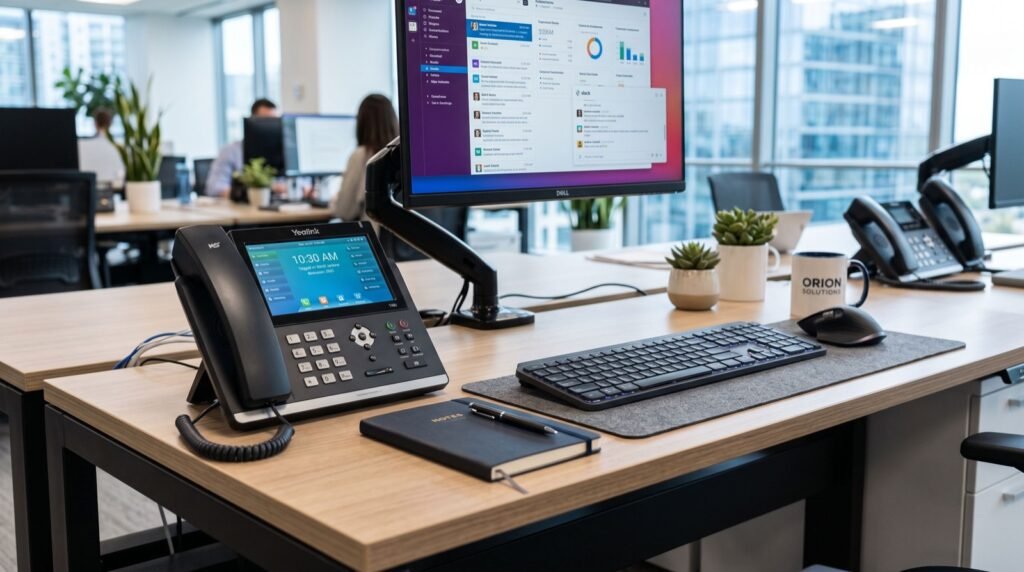
Hybrid work is no longer a trend, it is the default. As teams split between office desks and home offices, a plain voice line no longer cuts it. That is where smart video desk phones come in, and Fanvil IP Phones in Pakistan now bring Android-powered video calling, app integration, and HD conferencing straight to the desk. This 2026 guide explains why the smart video phone has become the centrepiece of modern communication.
A smart video phone blends the reliability of a dedicated desk device with the flexibility of a tablet. You get a large touchscreen, a built-in camera, and access to collaboration apps, all without a computer. For Pakistani businesses embracing distributed teams, it is a genuine productivity upgrade.
Why Video at the Desk Beats Video on a Laptop
Laptops multitask, and that is exactly the problem. A dedicated video phone is always on, always ready, and never competing with twenty browser tabs for resources. The result is more reliable meetings and a cleaner desk.
- Instant availability: No booting a laptop or launching an app before every call.
- Dedicated camera and mic: Purpose-built optics and echo cancellation beat generic laptop hardware.
- No resource contention: The phone handles video while your computer handles work.
- Professional presence: A steady, well-framed shot every time you answer.
Key Features of a Smart Video Phone
Not all video phones are equal. The best models combine telephony fundamentals with genuine smart-device capabilities.
Android Operating System
An Android-based phone runs apps directly, letting you join Zoom, Teams, or a browser-based meeting without extra hardware. Updates and new tools install just like on a smartphone.
HD Camera and Touchscreen
A large capacitive touchscreen and an adjustable HD camera make video calls feel natural. Look for privacy shutters so the camera is physically covered when not in use.
Bluetooth and Wi-Fi
Wireless connectivity lets you pair a headset, connect to Wi-Fi where cabling is awkward, and transfer calls to a mobile seamlessly.
Comparing Video Phone Capabilities
The flagship of the range is worth a close look. The Fanvil V67 Flagship Smart Video Phone pairs an Android platform with a large touchscreen and HD camera, purpose-built for executives and hybrid teams who live in video meetings.
| Capability | Basic IP Phone | Smart Video Phone |
|---|---|---|
| Voice calls | Yes | Yes |
| Video calling | No | Yes, HD |
| Touchscreen | No | Large capacitive |
| App support | No | Android apps |
| Wireless | Limited | Wi-Fi + Bluetooth |
| Best user | General staff | Executives, hybrid teams |
Deploying Video Phones Across a Hybrid Team
Rolling out video phones works best when you match the device to the role. Executives, sales leads, and remote managers gain the most, while general staff may be well served by voice-only handsets.
- Identify heavy video users: Focus first on people who meet clients or lead remote teams.
- Confirm bandwidth: HD video needs more headroom than voice, so verify your uplink can handle concurrent streams.
- Standardise apps: Decide which meeting platforms to install so every device is consistent.
- Set privacy policies: Use camera shutters and clear guidelines to keep staff comfortable.
A field-tested tip: place video phones on the same voice VLAN but give video traffic a slightly higher bandwidth reservation in QoS. Video is more sensitive to congestion than audio, and this small adjustment prevents frozen frames during busy periods. Businesses that want a smooth rollout often lean on reliable local experts to size bandwidth and configure each device correctly.
The Bigger Picture: Unified Communications
Smart video phones are one pillar of unified communications (UC), the integration of voice, video, messaging, and presence into a single experience. Research from Gartner defines UC as products that facilitate the interactive use of multiple communication methods, precisely what a modern video desk phone enables. Adopting these devices is a concrete step toward a fully unified, future-ready workplace.
Getting the Most From a Smart Video Phone
Buying the hardware is only the start. A few habits turn a capable device into a genuine productivity tool that your team relies on every day.
- Frame the shot once: Set the camera angle and lighting at install so every call looks professional without fiddling.
- Pin your key apps: Put the meeting platforms you use most on the home screen for one-tap joining.
- Pair a wireless headset: Bluetooth headsets keep hands free during long conferences and cut background noise.
- Use the privacy shutter: Physically covering the camera between calls builds staff trust and confidence.
A practical insight from real deployments: encourage teams to standardise on one primary meeting app across every video phone. Consistency slashes support tickets, because everyone learns the same interface and IT supports a single, known configuration rather than a patchwork.
Video Phones and the Return to the Office
As more teams split time between home and headquarters, the office phone must bridge both worlds. A smart video phone lets an in-office manager join the same video meeting as remote colleagues without opening a laptop, keeping everyone on equal footing.
This equality matters. When remote and on-site staff share the same high-quality video experience, meetings feel inclusive rather than lopsided. In 2026, that sense of parity is one of the quiet advantages that keeps distributed teams engaged and productive.
Frequently Asked Questions
Do smart video phones work with Zoom and Microsoft Teams?
Android-based video phones can run popular meeting apps directly, so you can join Zoom, Teams, or browser-based calls from the device without a separate computer. Availability depends on the model and its app store support.
How much bandwidth does an HD video call need?
A single HD video call typically uses 1 to 2 Mbps in each direction. Plan for concurrent calls at your busiest hour and reserve bandwidth for video in your QoS settings to avoid frozen frames.
Is a video phone worth it for a small business?
For client-facing roles and remote managers, absolutely. The reliability, professional framing, and always-on convenience often justify the cost. General staff who rarely video-call may do fine with a voice handset.
Can I mix video phones and voice phones on one system?
Yes. Because they all speak the open SIP standard, video and voice phones coexist on the same PBX. You can deploy video phones only where they add value and keep voice phones everywhere else.
Conclusion
Hybrid work rewards teams that communicate effortlessly, and a smart video phone removes the friction that laptops introduce. Choosing Fanvil IP Phones in Pakistan gives your organisation Android-powered video, HD conferencing, and app flexibility in a dedicated, always-ready device. Match the hardware to the role, reserve bandwidth for video, and treat these phones as a stepping stone to full unified communications. In 2026, that is how forward-thinking businesses stay connected, wherever their people work.